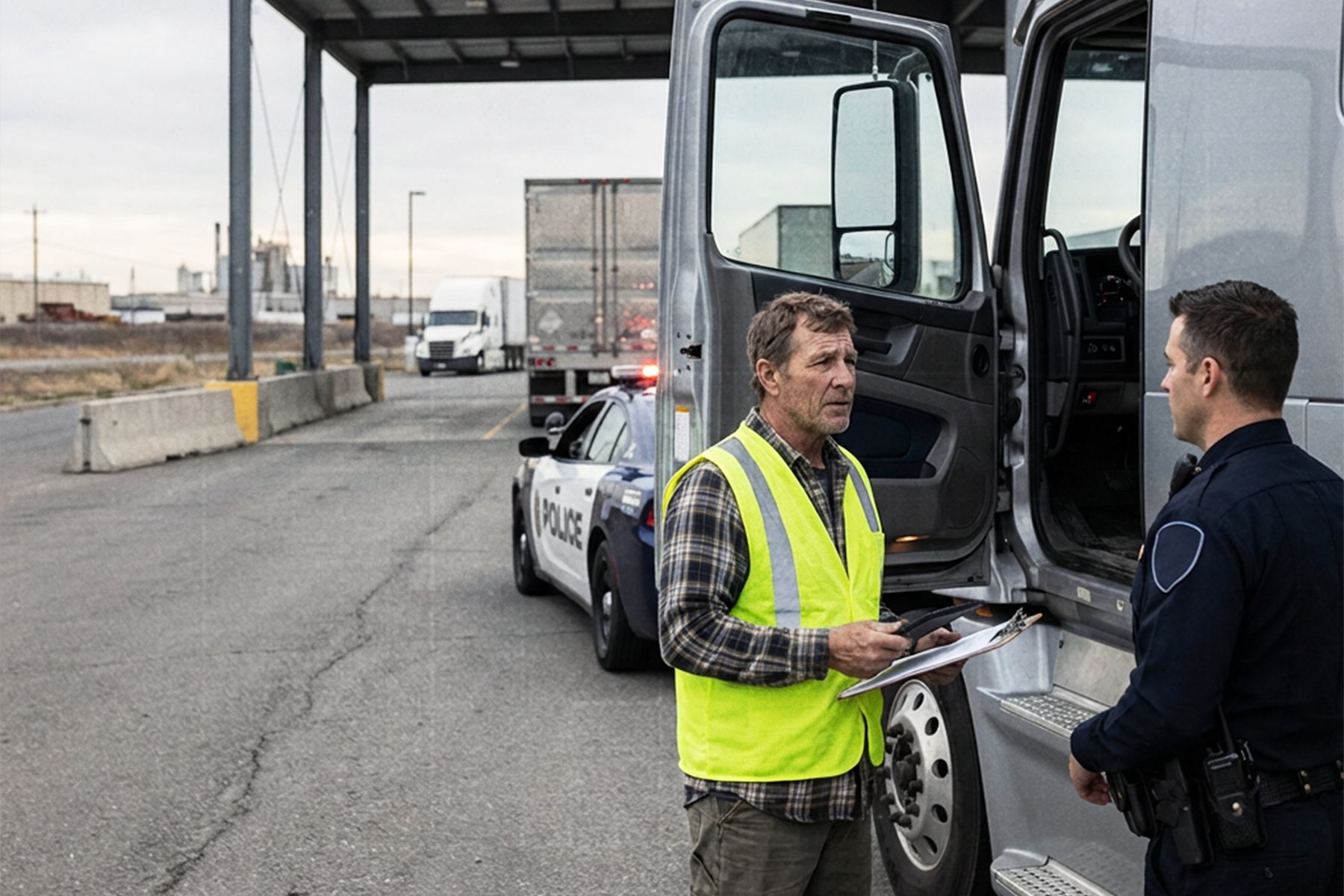
DOT roadside inspections are a fact of life for U.S. truckers. Even when you’re running a clean operation, getting pulled into a scale house or stopped on the shoulder can spike stress fast—especially in winter, at night, or in areas with weak cellphone coverage. The good news: most violations don’t come from “major” safety failures. They come from small, preventable issues like missing documents, messy ELD logs, incorrect HOS statuses, or a driver who isn’t sure what to do when the DOT officer asks for a log transfer.
This guide breaks down practical DOT inspection tips you can use every day. We’ll cover what affects inspection outcomes, how drivers and fleets can prepare, and how Unity ELD makes the inspection process faster and safer. We’ll also link you to official FMCSA resources so your team stays aligned with federal requirements.
Factors affecting DOT inspection results
A DOT inspection might last five minutes or fifty. The difference usually comes down to four areas.
1) Clean ELD logs and accurate HOS
The first thing a DOT officer looks at is your ELD logs and the last 7–8 days of Hours of Service (HOS). If your records show gaps, unexplained edits, or time that doesn’t line up with the engine data, the inspection can go deeper.
Common red flags:
- Unassigned drive time
- Missing miles or duty status gaps
- Incorrect status switches (e.g., driving while marked off-duty)
- Frequent edits without notes
- Wrong driver/vehicle assignment
FMCSA requires drivers to be able to show logs on the screen or provide a printout if requested, and compliant ELDs must support specific transfer methods.
2) Document readiness
The second most common delay during a truck inspection is paperwork. At minimum, a DOT officer may ask for:
- CDL
- Medical Certificate
- Truck registration and proof of insurance
- IFTA/IRP documentation (if applicable)
- Lease agreement (if the truck is leased)
- Shipping documents and BOL
Even if you are 100% compliant, fumbling through gloveboxes and apps makes you look unprepared—and inspectors tend to take longer when a driver looks unsure.
3) Vehicle condition
Perfect logs won’t help if the truck fails a visual or mechanical check. DOT officers often focus on:
- Lights and reflectors
- Tires (tread and inflation)
- Brakes and ABS indicators
- Leaks (oil, coolant, fuel)
- Securement of cargo
- Trailer condition
Fleet safety audits and CSA scores are heavily influenced by preventable mechanical violations, so daily checks matter.
4) Driver behavior and communication
This is the hidden inspection factor. Professional, calm drivers usually have shorter inspections. Nervous or defensive behavior often causes officers to dig deeper.
Good habits:
- Safe stop and hazard lights on
- Polite, short answers
- Confidence using your ELD inspection mode
- No arguing roadside
If you disagree with a violation later, that’s handled through the proper dispute channels—not on the shoulder.
Strategies to improve DOT inspection readiness
Here’s a simple routine fleets can standardize to reduce violations fast.
1) Do a Daily Pre-Trip Inspection Checklist
A consistent pre-trip inspection is one of the best DOT inspection tips because it prevents “cheap” violations:
- lights
- tires
- brakes/air lines
- leaks
- trailer and load securement
- dashboard warning indicators
FMCSA allows DVIRs in any format as long as they include required details and signatures. ФМCSA
Important note: for most property-carrying CMVs, FMCSA removed the requirement to submit/retain “no-defect” DVIRs. So if you find no issues, you may not have to file a report—but if you find a defect, it must be documented and repaired. ФМCSA+1
Practical takeaway: even if “no-defect” DVIRs aren’t mandatory for your operation, still using a checklist protects you from surprise roadside failures.
2) Check HOS before rolling
Before the wheels move:
- open your ELD app
- confirm your duty status is correct
- verify yesterday’s logs are synced
- check available drive/on-duty time
Most drivers who get HOS violations didn’t “break rules on purpose.” They started the day with a wrong status or unsynced log.
3) Clear unassigned drive time immediately
Unassigned drive time is one of the most frequent triggers for violations. Don’t wait until the end of the week.
- See unassigned event → assign it today
Add a quick note if needed
This keeps logs clean and inspection-ready.
4) Keep documents in one place
The fastest inspections happen when a driver can produce any document in 15–30 seconds.
Best practice:
- Physical binder in the same cab location every trip
Digital backup (photos or PDFs) on the driver’s device
Unity ELD users often keep digital copies inside their standard driver workflow so nothing gets lost during a check.
5) Train an “Inspection script”
Drivers should have a simple step-by-step response drilled in. Example:
- Pull over safely; hazards on
- Greet officer and provide documents
- Open Unity ELD Inspection Mode
- Show last 7–8 days logs
- Transfer logs when requested
- Answer questions calmly and briefly
If every driver follows the same routine, inspections stay predictable and short.
Technology and innovations
A strong ELD system is the second half of inspection success. Unity ELD is designed specifically to remove common roadside risks.
Inspection Mode
Unity ELD includes a dedicated Inspection Mode that gives DOT officers quick, clean access to logs without extra driver navigation. It reduces confusion and speeds up review.
Learn more about features here:
Unity ELD platform: https://unityeld.com/
FMCSA-Compliant data transfer
FMCSA defines four possible ELD transfer methods, grouped into two categories:
- Telematics Transfer: Web services and email
- Local Transfer: USB 2.0 and Bluetooth ФМCSA+2ФМCSA+2
FMCSA’s preferred method is web services because it’s the fastest and most efficient. ФМCSA
Unity ELD supports FMCSA-approved transfer options, so your driver can send logs on demand.
Official FMCSA resources for driver training:
- ELD Carrier-Driver Training (transfer steps):
https://www.fmcsa.dot.gov/hours-service/elds/eld-carrier-driver-training FМCSA - ELD Data Transfer FAQs:
https://www.fmcsa.dot.gov/hours-service/elds/eld-data-transfer-faqs FМCSA - Web eRODS (how officers view your file):
https://eld.fmcsa.dot.gov/eRODS ELD
Pro tip: teach drivers to ask which transfer method an officer wants before starting the process. FMCSA training explicitly notes that officers request the method and drivers should know both primary and backup options. ELD
Offline logging protection
Bad weather and rural routes mean connectivity drops. FMCSA requires that drivers can still show logs on demand even if the network is down. Unity ELD continues recording driving time offline and syncs later, preventing gaps in the logbook.
Real-time alerts
Unity ELD sends instant alerts if the device disconnects or logs fail to sync. That means a driver can fix the issue before getting inspected, not during the check.
Conclusion
The best DOT inspection tips come down to two things: discipline and technology. A prepared driver with clean HOS, accurate ELD logs, organized documents, and a truck that passes a quick pre-trip checklist will rarely face major roadside trouble. Add a reliable, FMCSA-compliant system like Unity ELD, and inspections become routine instead of risky.
If your fleet wants to reduce violations, protect CSA scores, and speed up inspections, start with the basics above—and make sure every driver knows how to use Inspection Mode and transfer logs correctly.
DOT inspection tips FAQs
What should a driver do first during a roadside DOT inspection?
Stay calm, pull over safely, and provide requested driver and vehicle documents. Then open Inspection Mode in Unity ELD and be ready to show or transfer logs.
How can fleets reduce DOT violations fastest?
Check HOS daily, clear unassigned drive time immediately, and require a short pre-trip inspection checklist every shift. These three habits prevent most common violations.